Checkmate
Design System Rebuild
ROLE
Product Designer
Company
Checkmate
Year
2024
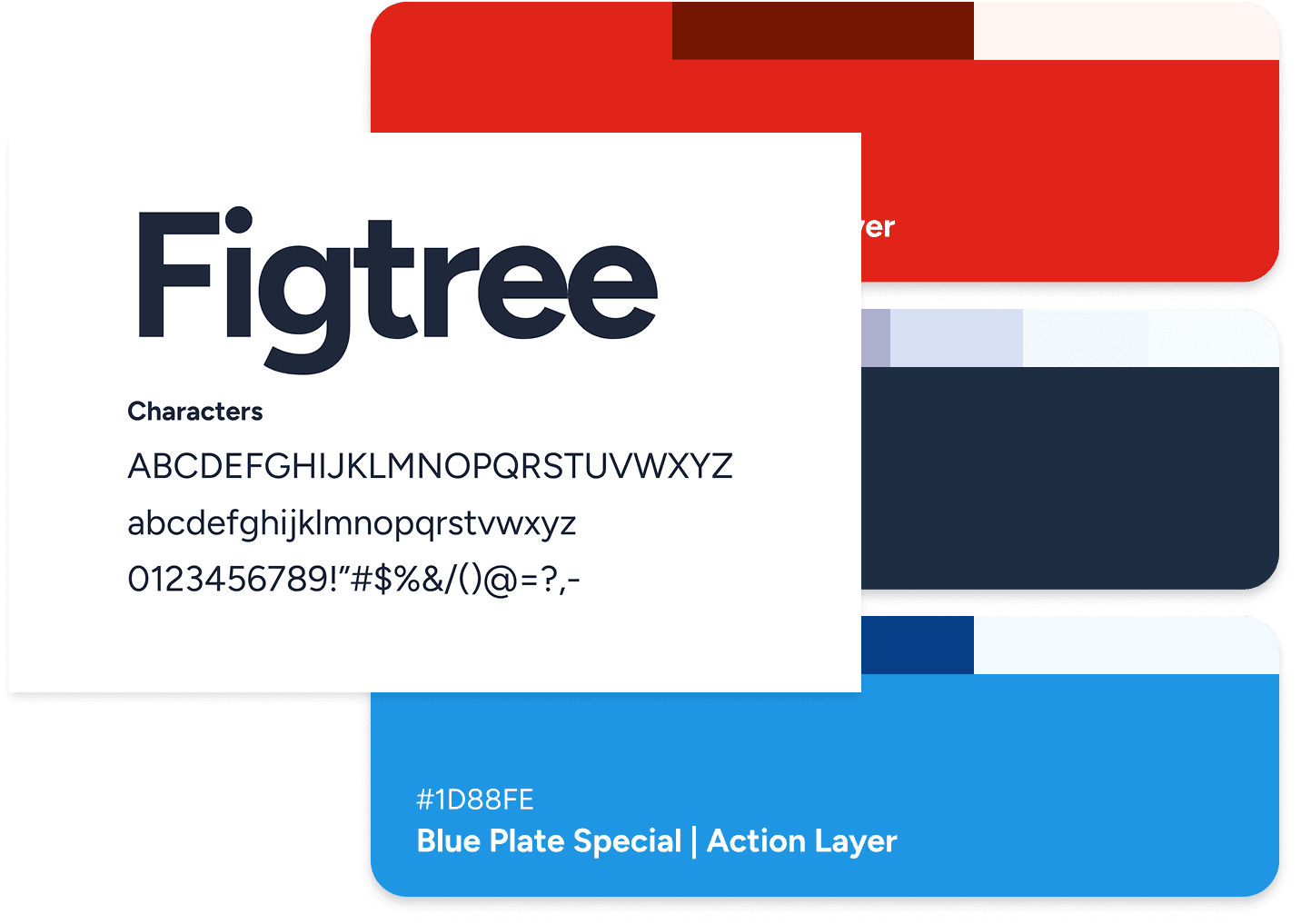
During a company-wide rebrand, Checkmate introduced a new visual identity, including updated color palettes and typography. This presented an opportunity, and a challenge, to rebuild the product design system in a way that supported clarity, accessibility, and long-term scalability across multiple products.
I led the complete redesign of the design system, ensuring it aligned with the new brand while avoiding the usability issues present in the previous system.
Checkmate is a central menu management platform for enterprise restaurant brands that consolidates menus and syncs across ordering platforms such as Uber Eats, DoorDash, and Grubhub.
The Problem
The previous design system relied heavily on green, black, and grey. While visually consistent, this approach created several issues in visual hierarchy and meaning.
With the new brand introducing a strong red primary color, directly applying brand colors to the UI risked recreating the same problem.
The system needed a new structure that could easily adapt to the current UI while also improving the UX by reworking how color was used where it mattered most.
Key Challenges
• Limited visual hierarchy
• Distinction between actions states lacking
• Overuse of brand color
• Breaking apart importance of UI elements
• Enable system light & dark modes
Design Strategy
Separating Brand Expression from UI Function
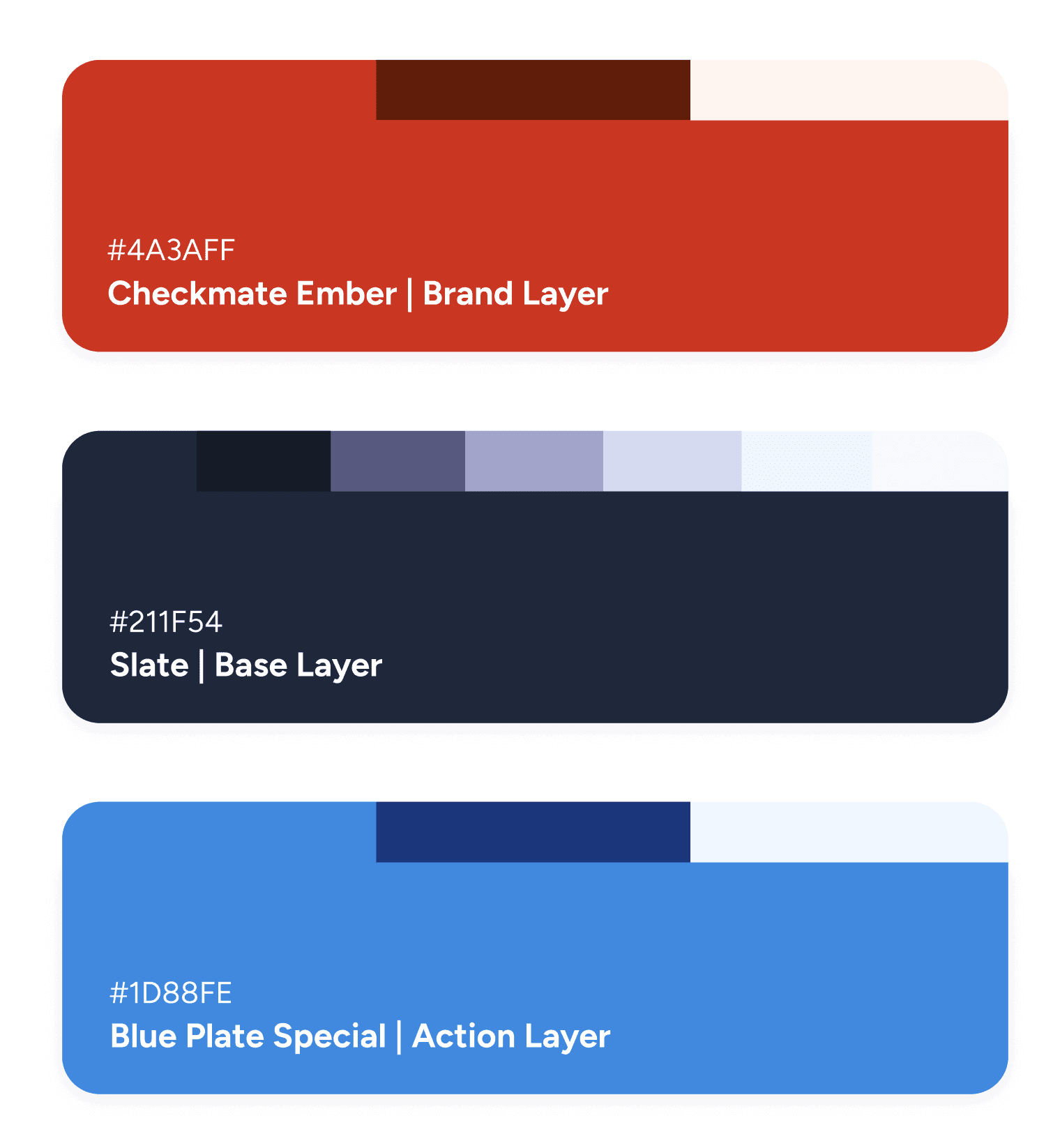
Rather than mapping brand colors directly to interface elements, I restructured the system around purpose-driven color usage.
Areas of Focus: Slate tones became the base layer for backgrounds, borders, typography, and layout, Ember was intentionally limited to subtle brand moments, and Blue Plate Special was established as the primary action layer
Color System
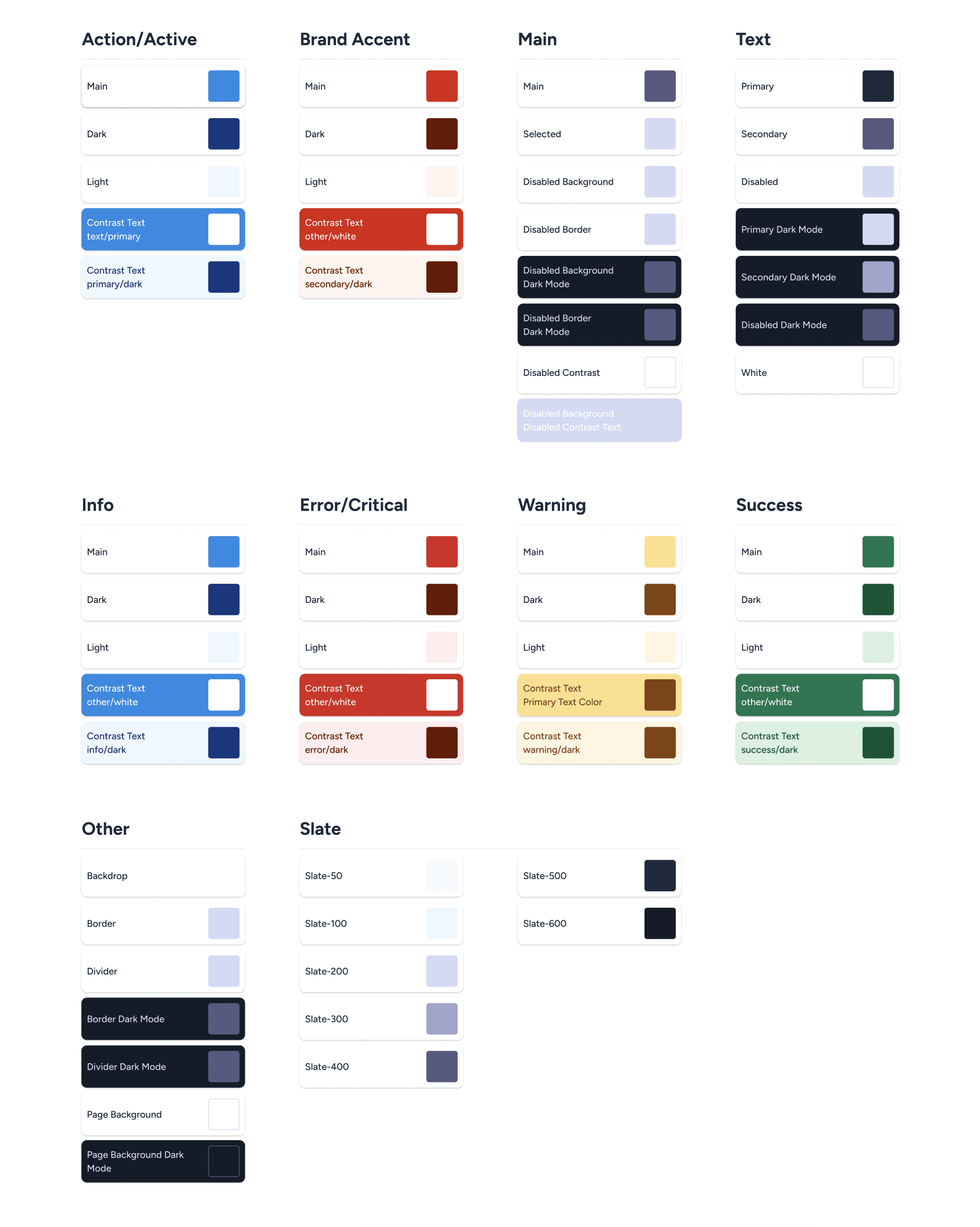
Color With Meaning, Not Decoration
The new color system follows clear, enforced rules. By assigning meaning to color, users can understand intent at a glance, reducing cognitive load and errors.
Areas of focus: Blue is reserved exclusively for actions, red is used only for destructive or dangerous actions, green, yellow, and red represent success, warning, and error states, and neutral slate tones support structure, hierarchy, and readability
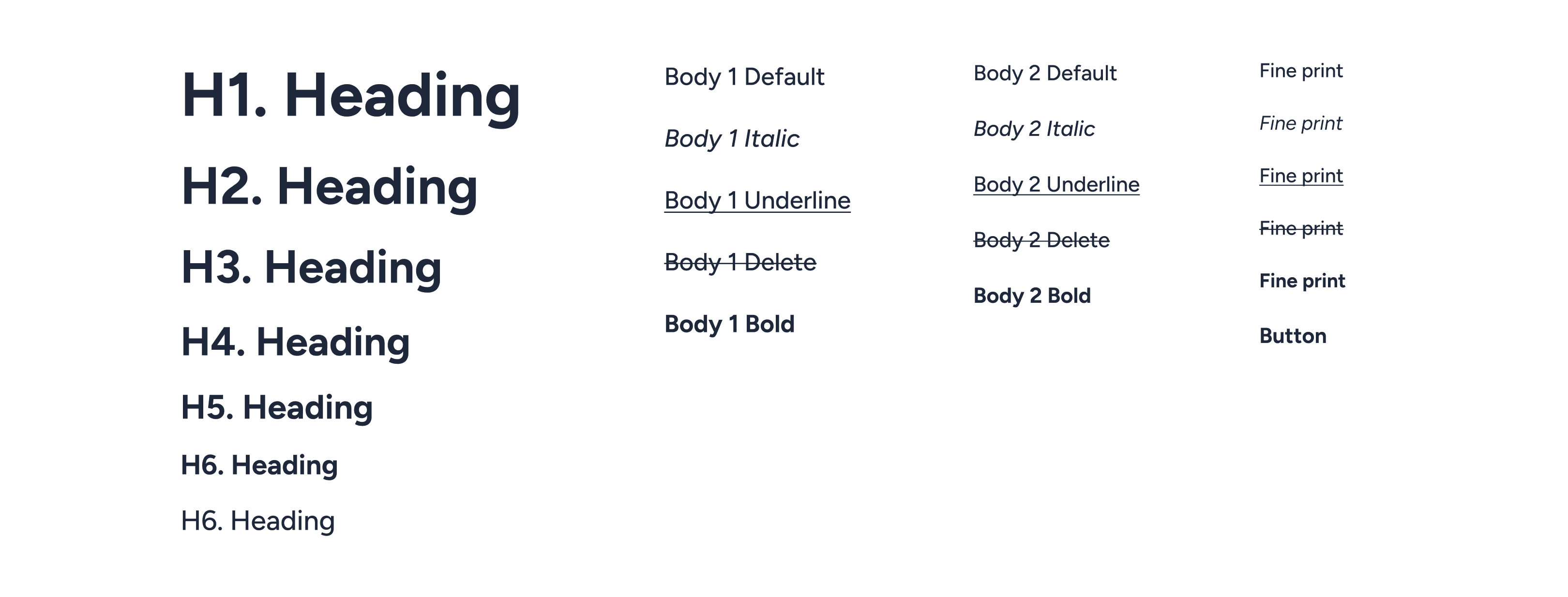
Type System
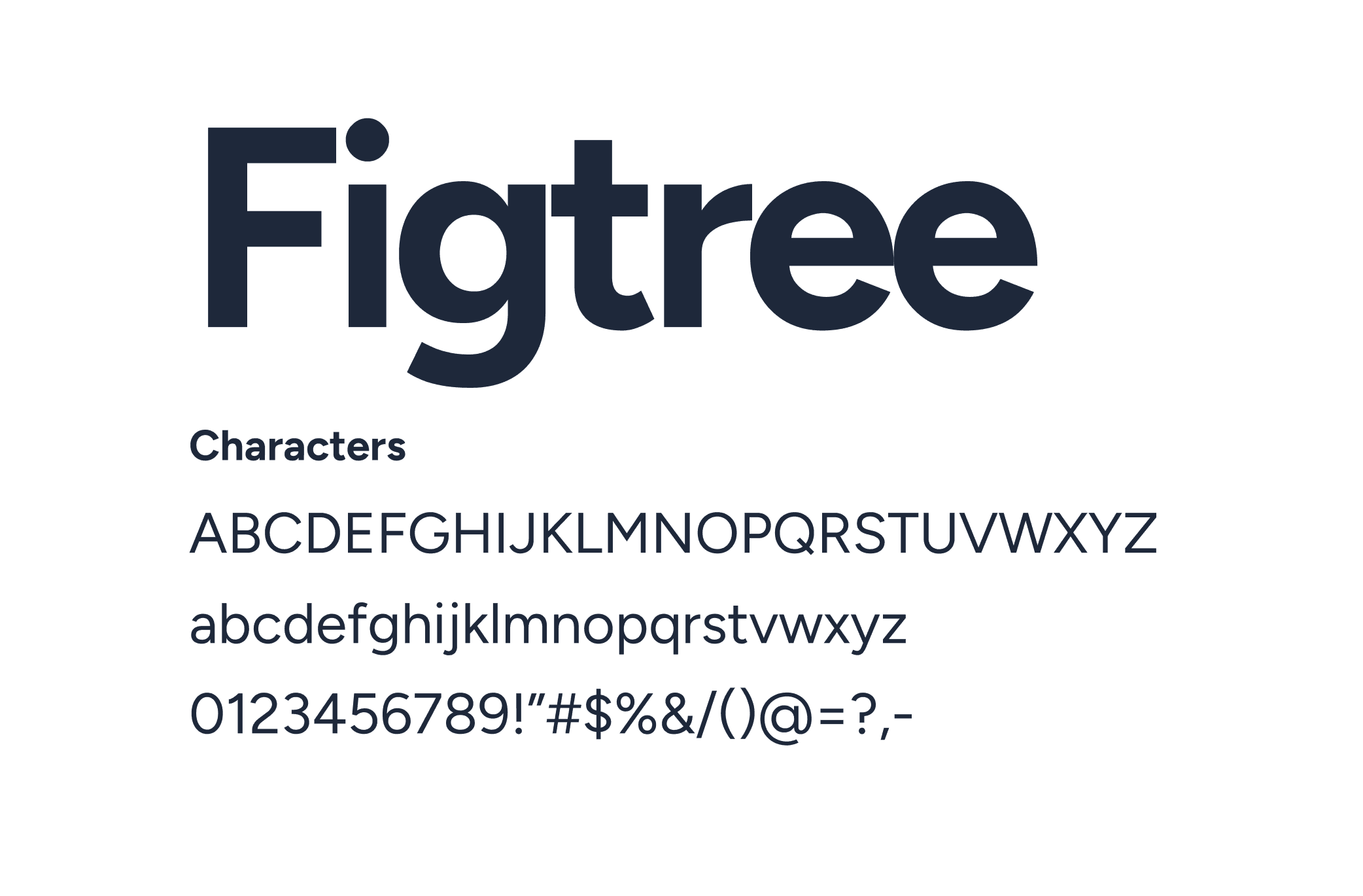
Updating the Type System Without Breaking the Product
The typography system retained the existing sizing and scale, allowing designs to adapt seamlessly across the product. This approach minimized disruption while modernizing the visual language.
Outcome: By keeping scaling of the type system mostly identical, our existing products could adapt easily instead of requiring a full product-wide redesign.
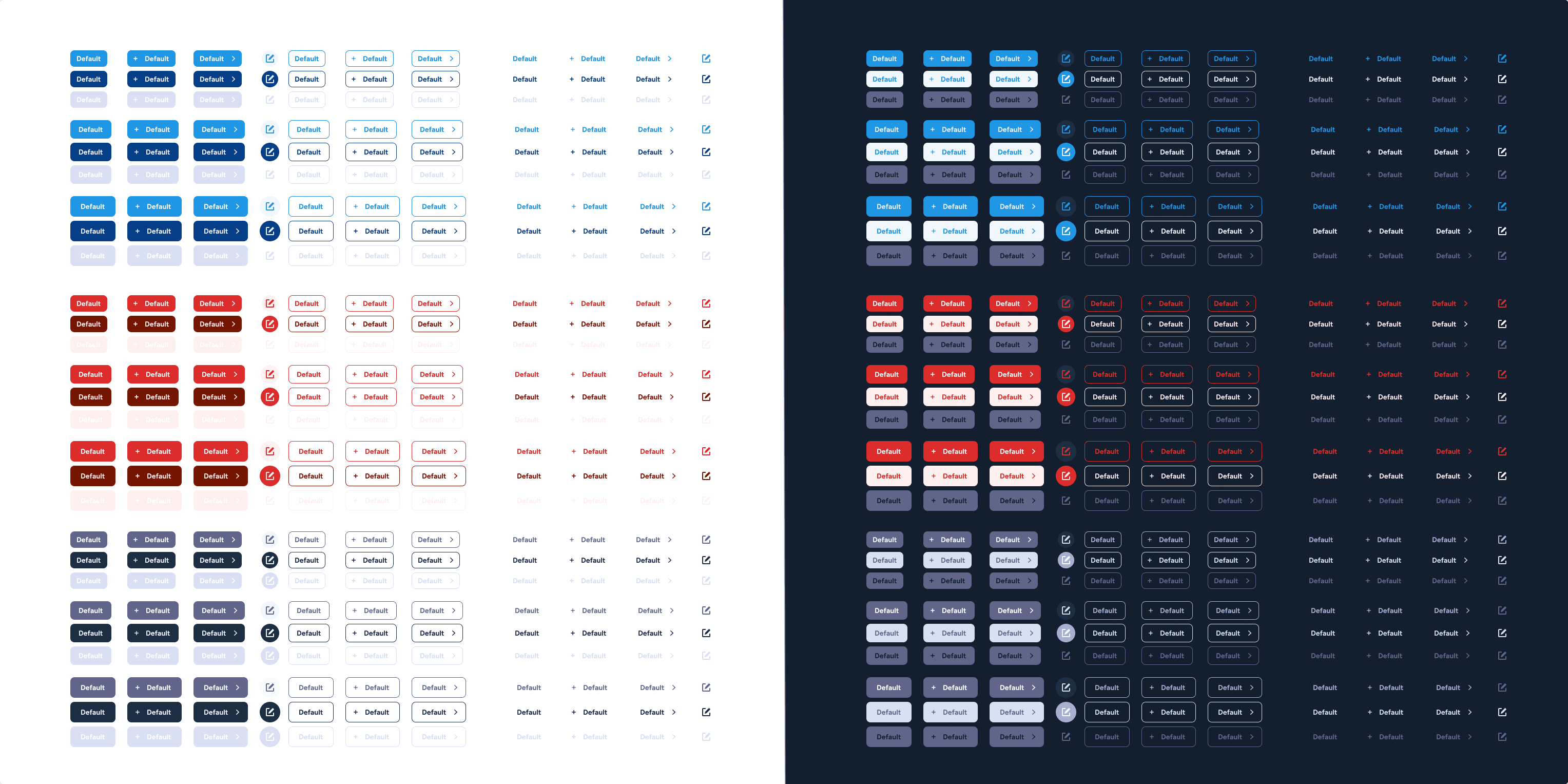
Buttons
Designing Buttons to Reflect Intent
Buttons are a core component of the Checkmate design system. The rebrand showed us that buttons were lacking structure and intent, so they were revised in full by utilizing the action color along with additional styling to help with hierarchy.
Outcome: Solid buttons represent the primary action within a section, outline buttons serve as secondary actions, text buttons indicate tertiary actions, icon buttons include a background when primary, and none when secondary, non-action interactive elements use neutral slate tones.
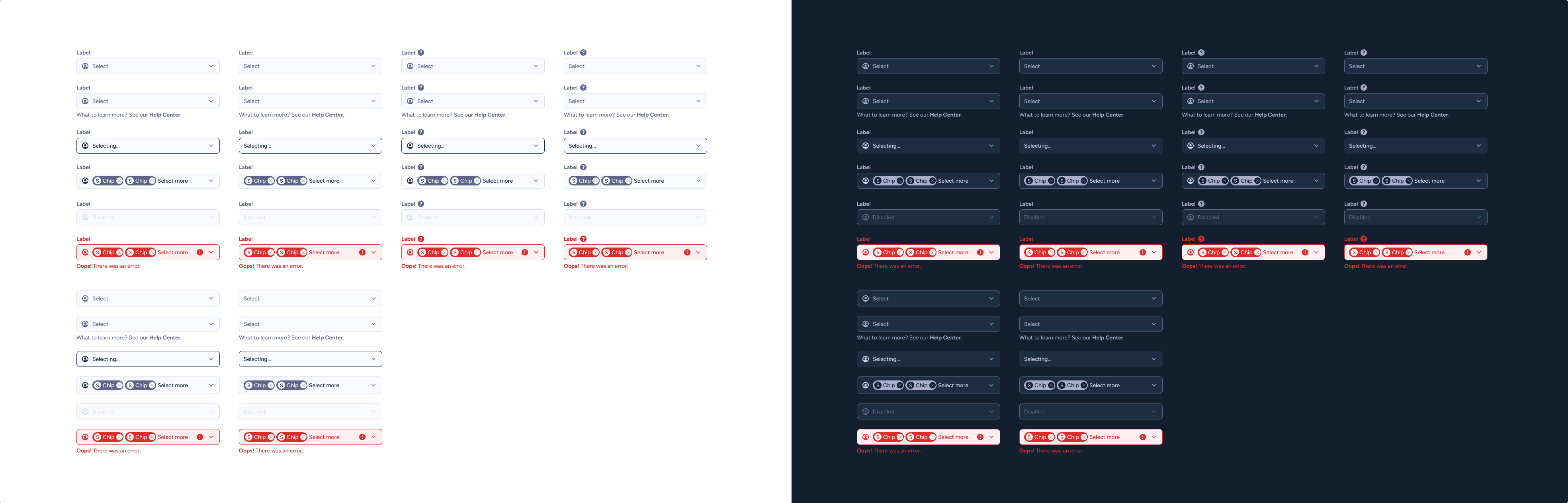
Forms & Inputs
Improving Visibility and Scanability
Inputs and selectors were redesigned to stand out more against white page backgrounds, allowing for better scanability within the UI.
Outcome: Inputs no longer blend into the page, scanability improved across dense layouts, focus and interaction states are easier to identify
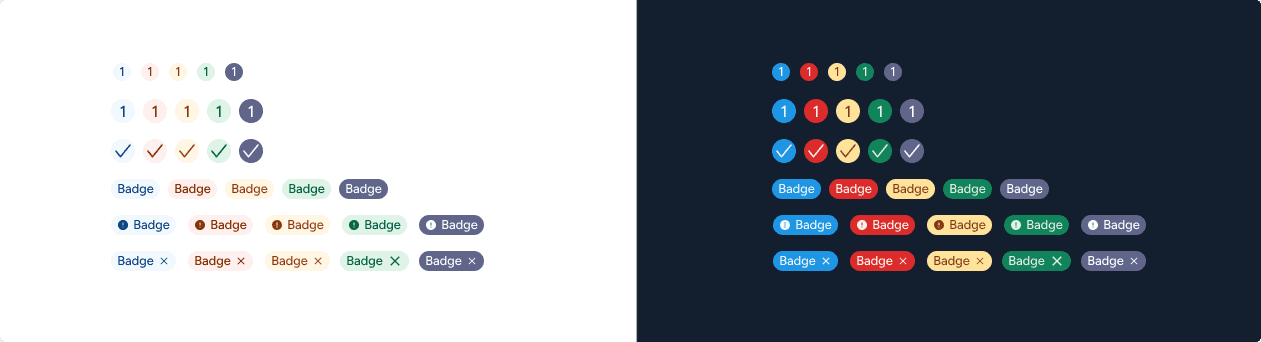
Feedback Components
Consistent Communication Across the Product
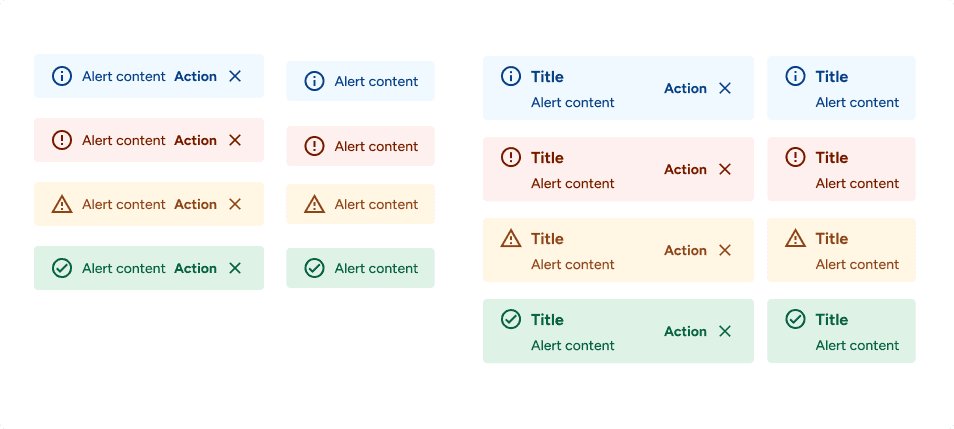
Alerts, badges, and chips all follow the same semantic color rules. Consistency ensures feedback is instantly recognizable, regardless of context.
Outcome: Blue for informational messaging, green for success, yellow for warnings, red for errors and critical states
Results
A Design System with Intention, Built to Scale
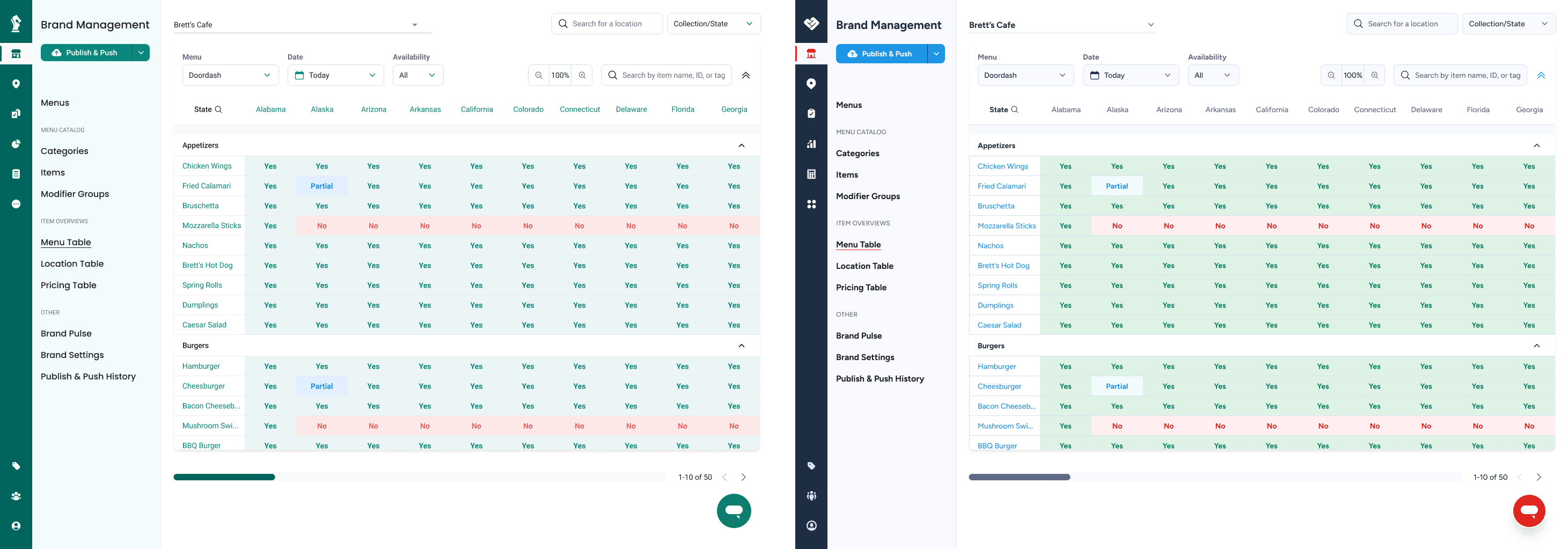
Because the system was built on MUI, every component aligned directly with engineering standards. This reduced handoff friction, accelerated development, and ensured design and code stayed in sync.
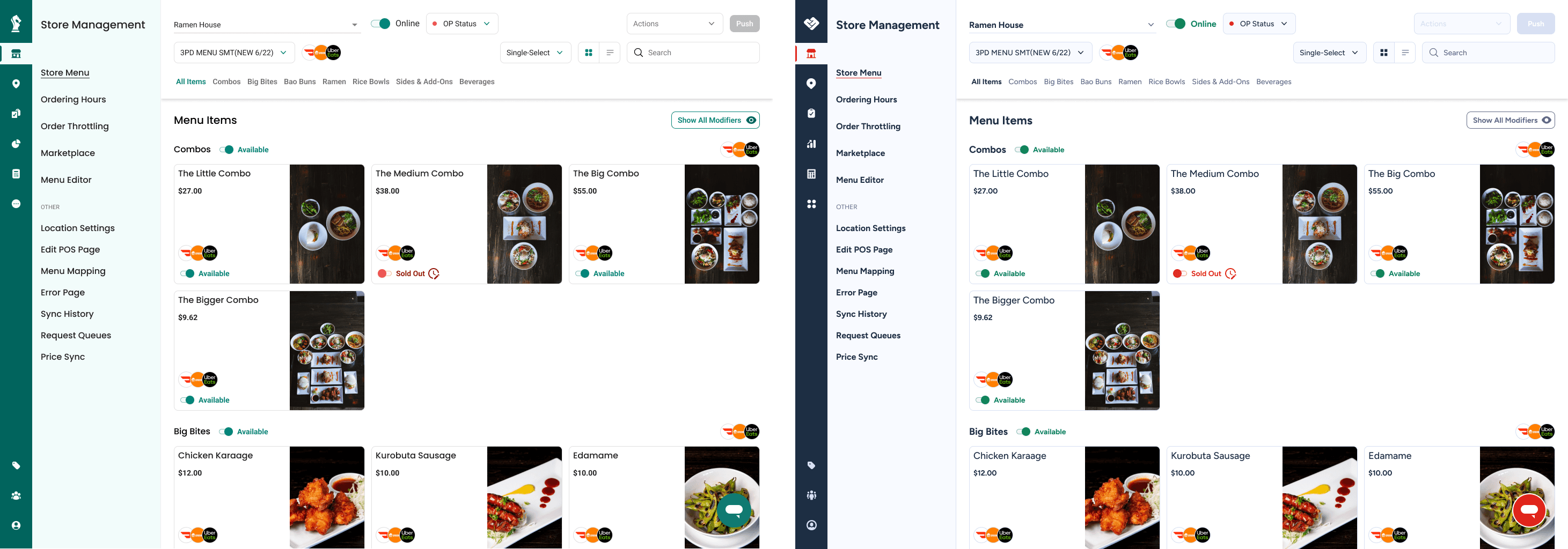
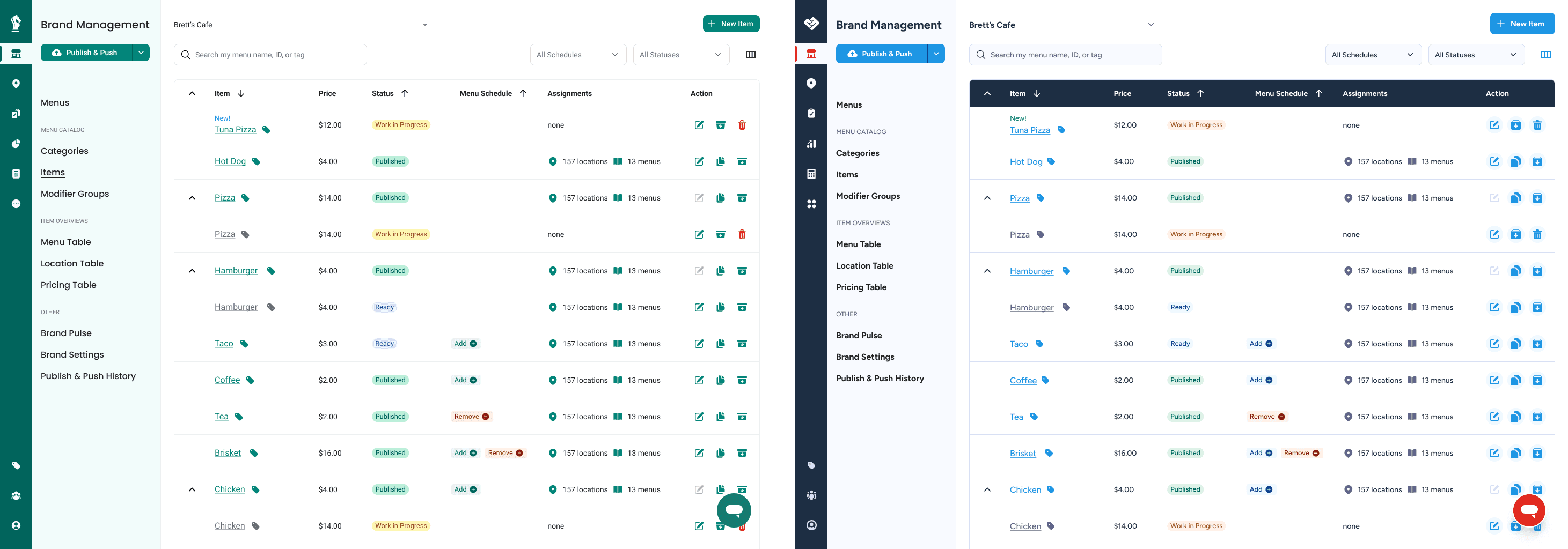
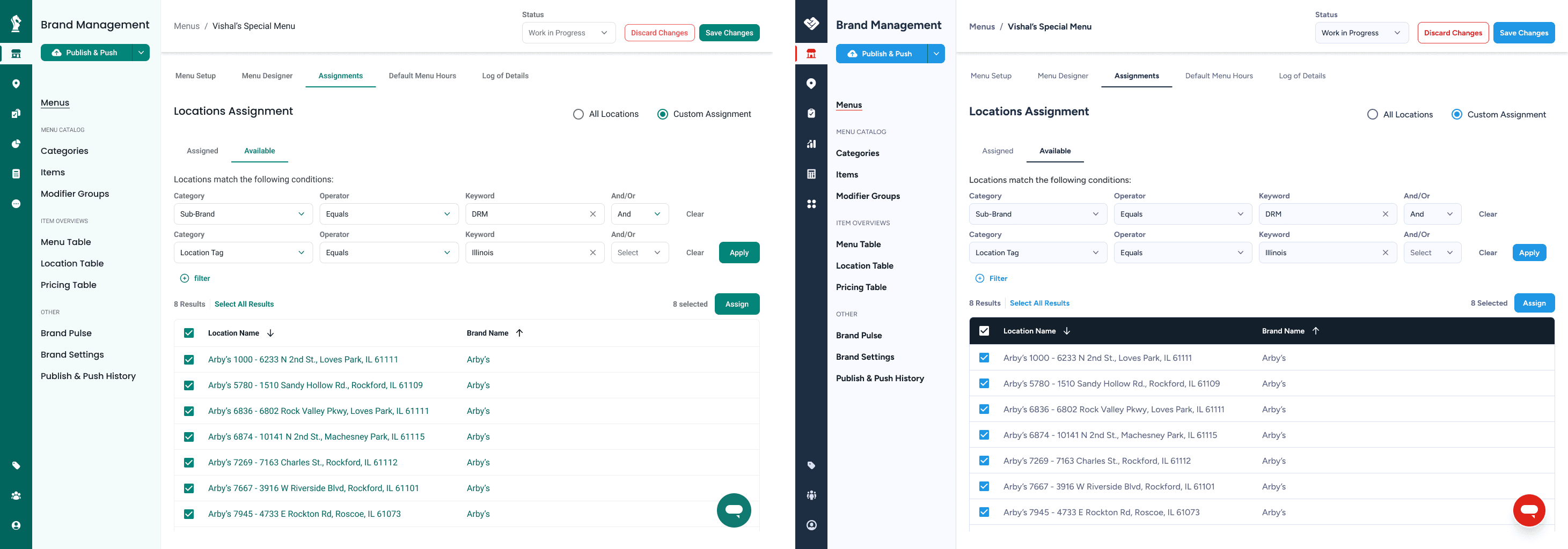
Outcome: The new design system transformed the entire product interface from brand-led to user-led.
With a fixed rebrand deadline, the design system was implemented in stages. Foundational elements shipped first to support launch, while additional components and refinements were rolled out incrementally alongside ongoing product work.
Thanks for stopping by.
Interested in working together?
© 2026 Made By Mackey. All Rights Reserved.