Checkmate
Mobile Menu Manager
ROLE
Product Design Lead
Company
Checkmate
Year
2025
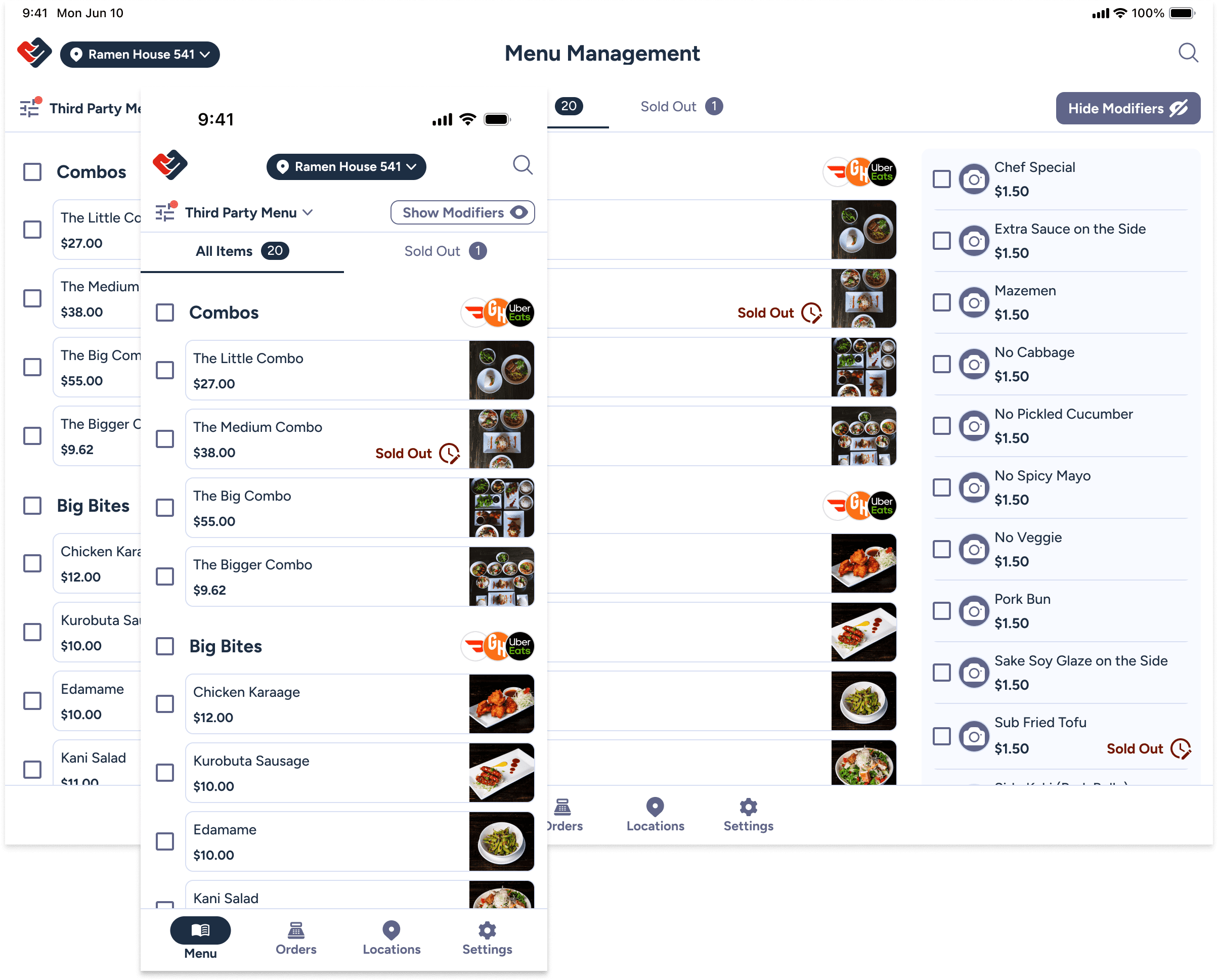
The Mobile Menu Manager was designed to give front-line restaurant staff a fast, native way to manage menus, orders, and locations during active service.
Previously, all menu management lived on desktop. This forced managers to step away from the floor, use shared back-office devices, or rely on browser-based workarounds during lunch and dinner rushes. The goal was to create a native mobile experience that allowed authorized staff to take action immediately — without disrupting operations.
Checkmate is a central menu management platform for enterprise restaurant brands that consolidates menus and syncs across ordering platforms such as Uber Eats, DoorDash, and Grubhub.
The Problem
Critical tasks were locked behind desktop-only workflows. Restaurant teams need to react quickly when items sell out, locations need to be paused, or ordering platforms require updates. The existing desktop-only workflow introduced friction at the worst possible moments.
Key Challenges
• Mobile access for time-sensitive updates
• Managers unavailable during peak hours
• Shared devices causing delays
High risk of errors under pressure
Complex interfaces not suited for mobile
USer ResearcH
Understanding Front-Line Realities
To ground the work in real needs, I partnered with our senior product designer to conduct a user study across internal Checkmate departments with direct exposure to our users and their needs.
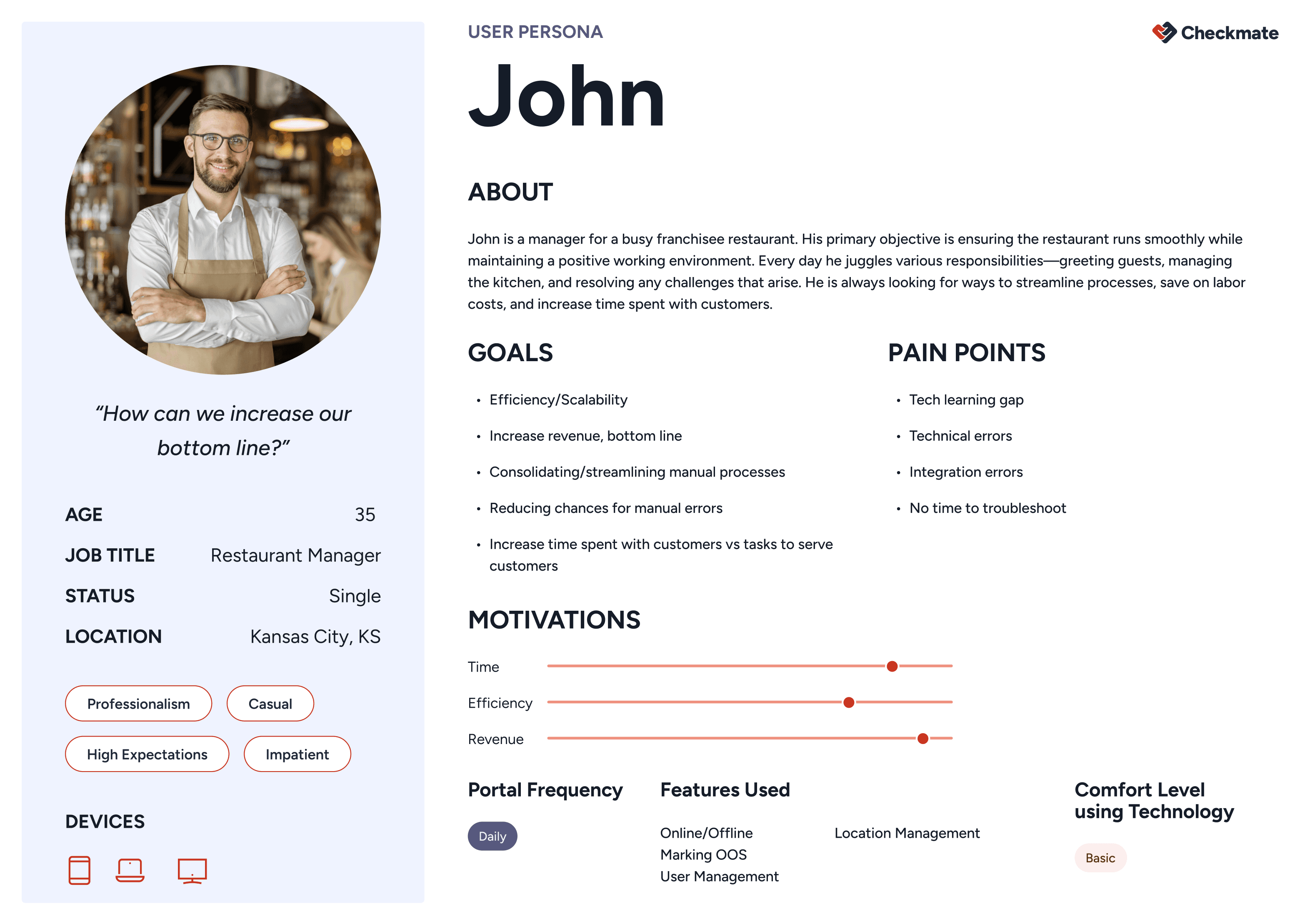
This research helped define multiple user personas across the platform. The Mobile Menu Manager was built specifically for restaurant managers and front-line staff .
Findings: They work in high-pressure environments, have limited time to troubleshoot issues, need fast, reliable access to only the most critical actions, vary widely in technical comfort
Key takeaways: Our solution needed to be extremely accessible and easy for anyone with a mobile device to use.
USer Flow
Designing for Speed, Not Feature Parity
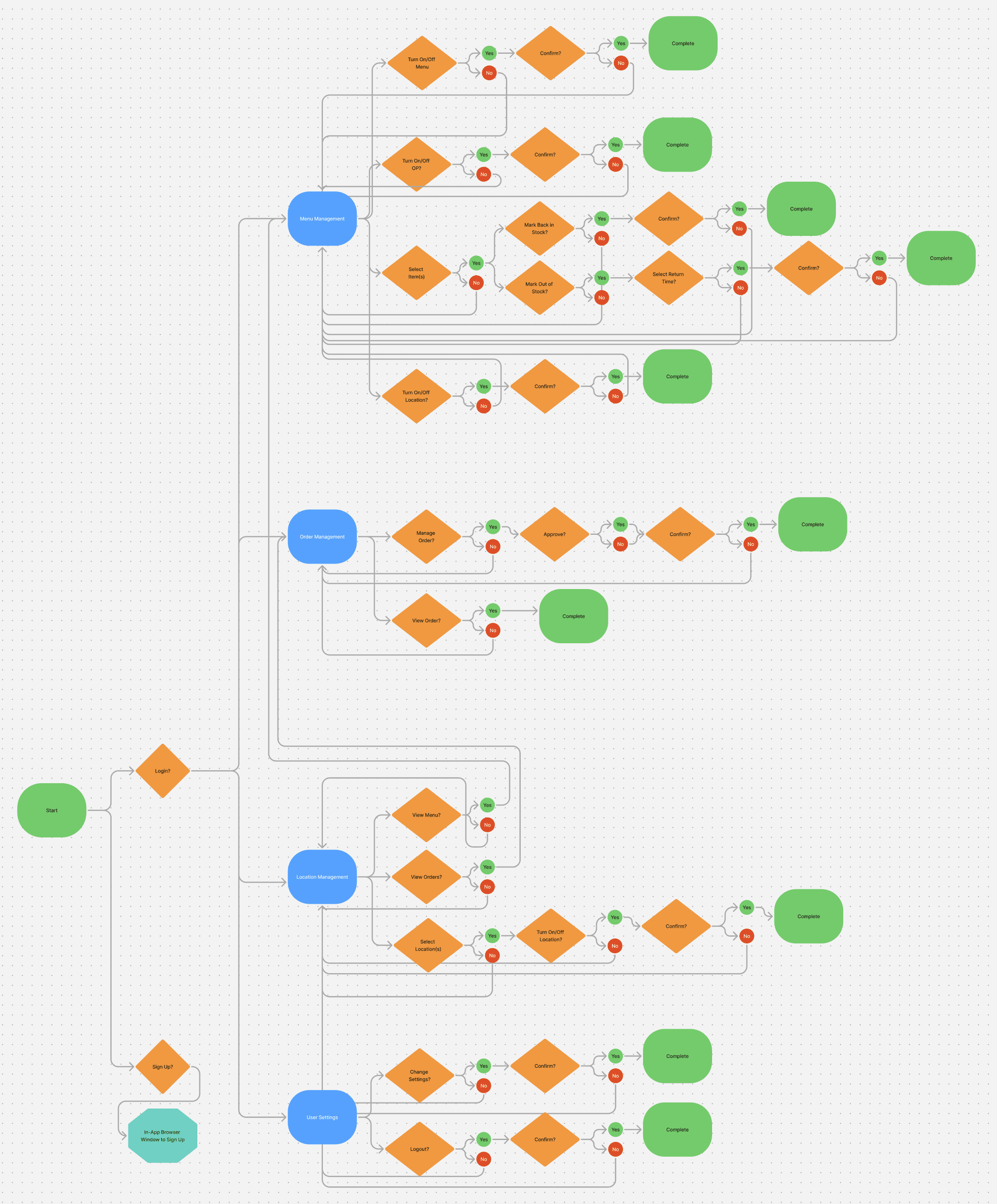
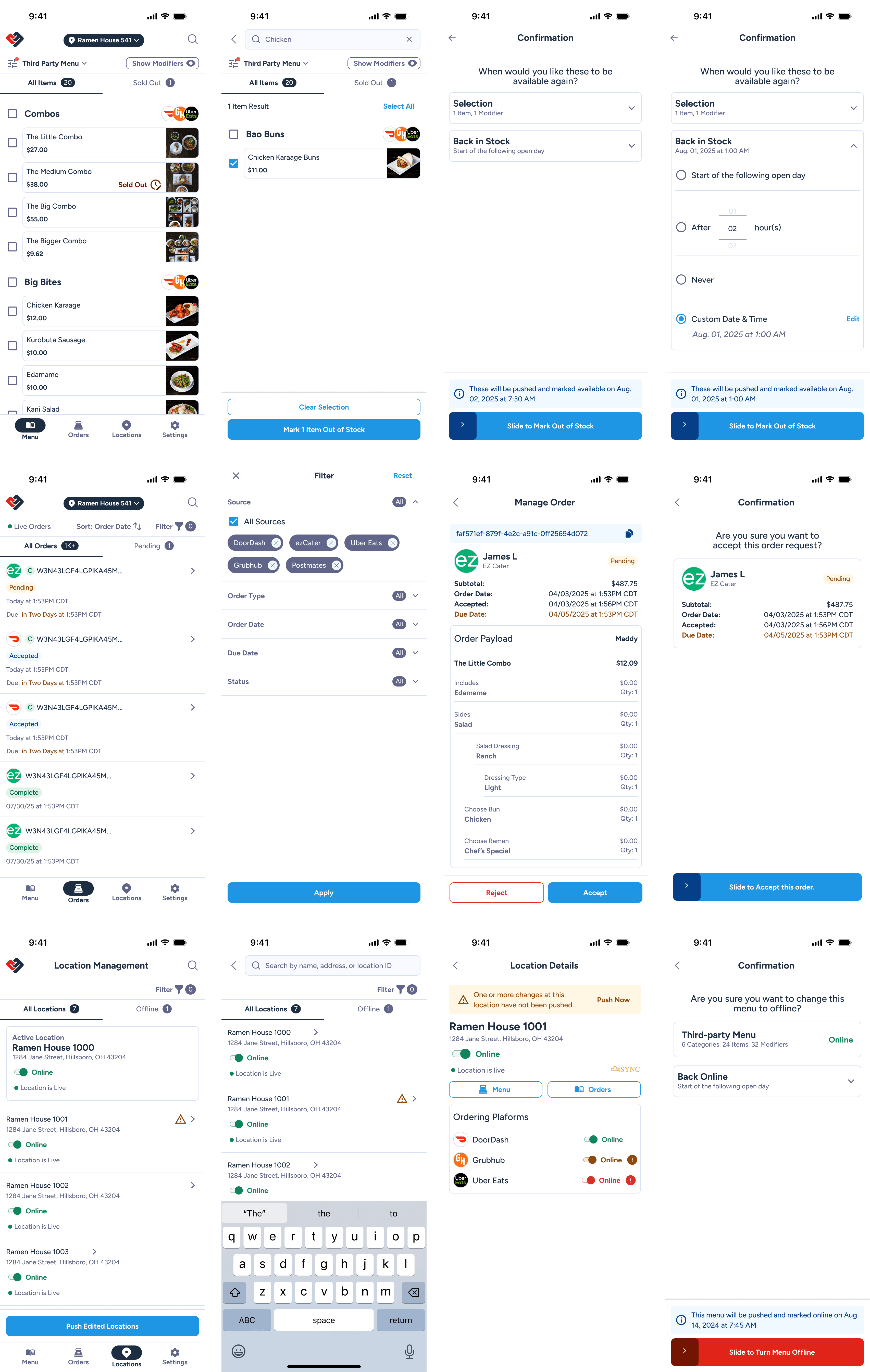
With clear user needs defined, I created a streamlined user flow focused exclusively on mobile-critical tasks.
The flow intentionally excluded non-essential features and prioritized only user needs.
Areas of focus: Marking items in and out of stock, turning locations on or off across ordering platforms, managing orders, confirming actions with minimal friction, clear feedback and completion states
Key takeaways: The result was a focused experience designed for quick decisions and minimal taps, rather than replicating the full desktop product.
Design Strategy
Native, Cross-Platform, and System-Driven
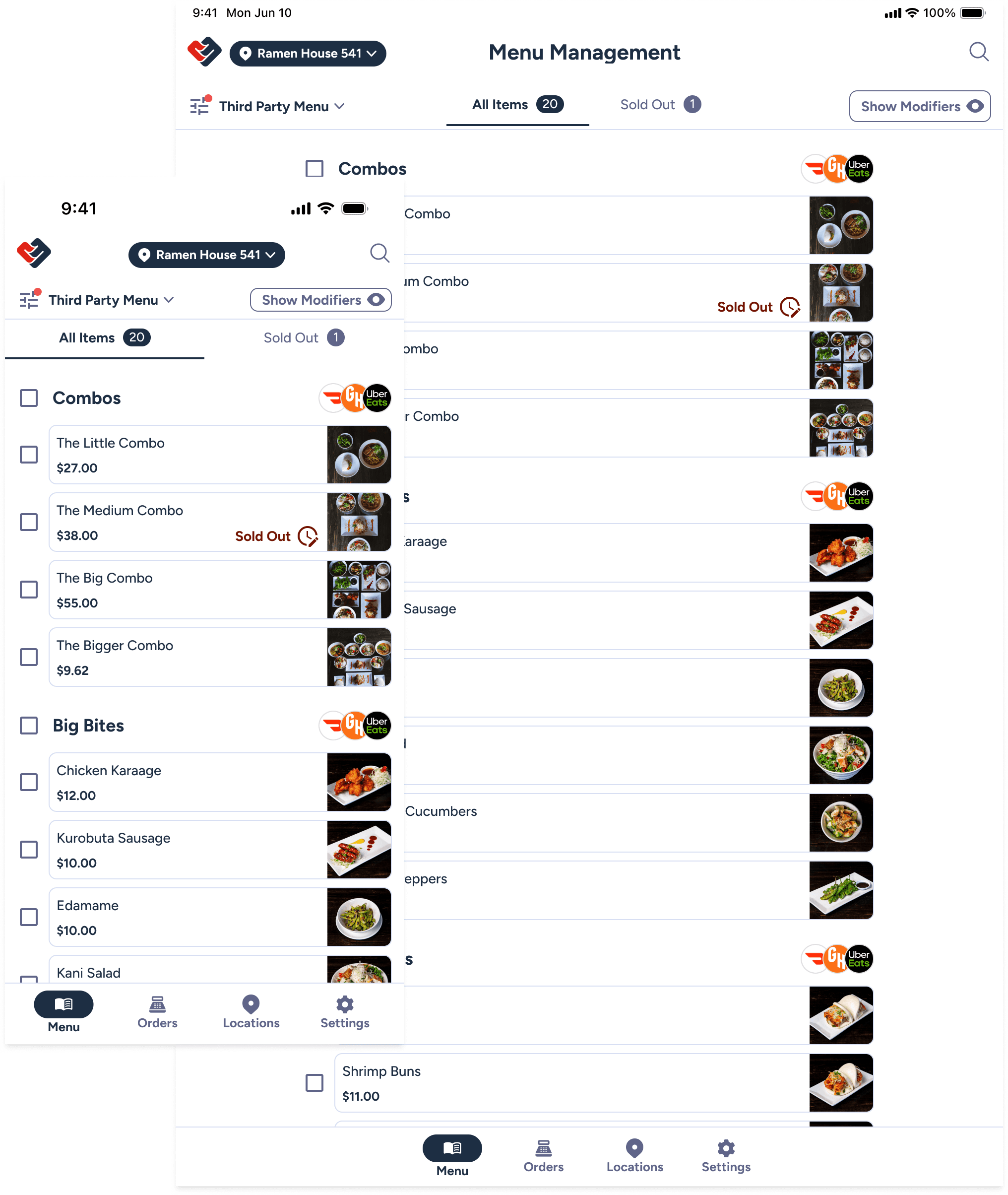
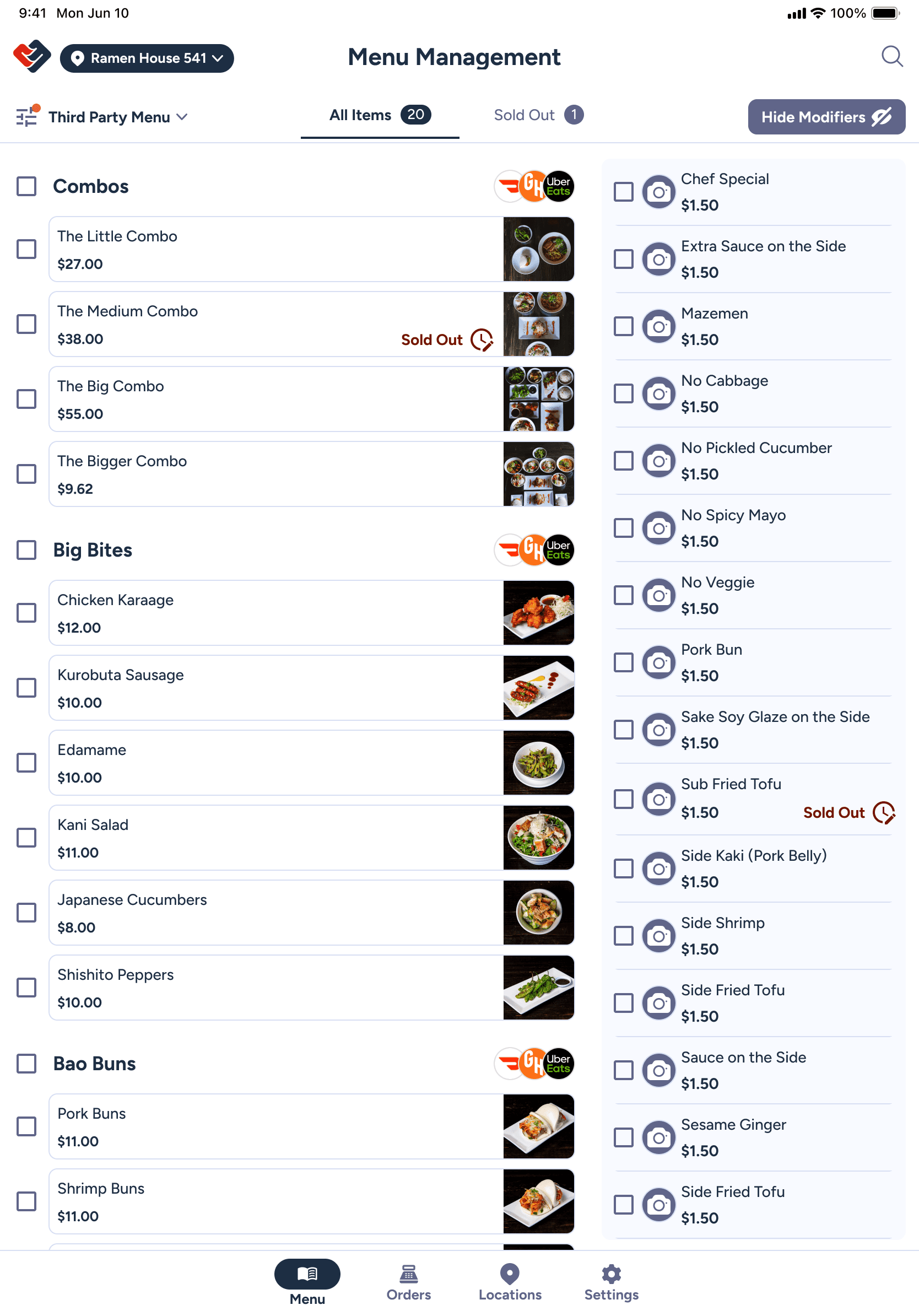
The Mobile Menu Manager was designed for both mobile and tablet, following Checkmate’s existing design system while respecting native platform conventions.
Area of Focus: Compliance with both iOS and Android standards, cross-platform responsiveness, large tap targets and clear hierarchy for rushed environments, minimal cognitive load, consistency with the broader Checkmate design system
Outcome: The app felt native and familiar, while remaining scalable and maintainable across iOS and Android
Results
Faster Actions Where It Matters Most
Every screen, interaction, and confirmation state was designed with real restaurant conditions in mind — noisy environments, shared devices, and frequent interruptions.
Outcome: The mobile experience brought critical operational control closer to the people who need it most.
To address immediate user needs, the mobile experience launched as an MVP mobile-web solution. Some native-specific features were deferred, with the design structured to support a future transition to a fully native app.
Thanks for stopping by.
Interested in working together?
© 2026 Made By Mackey. All Rights Reserved.